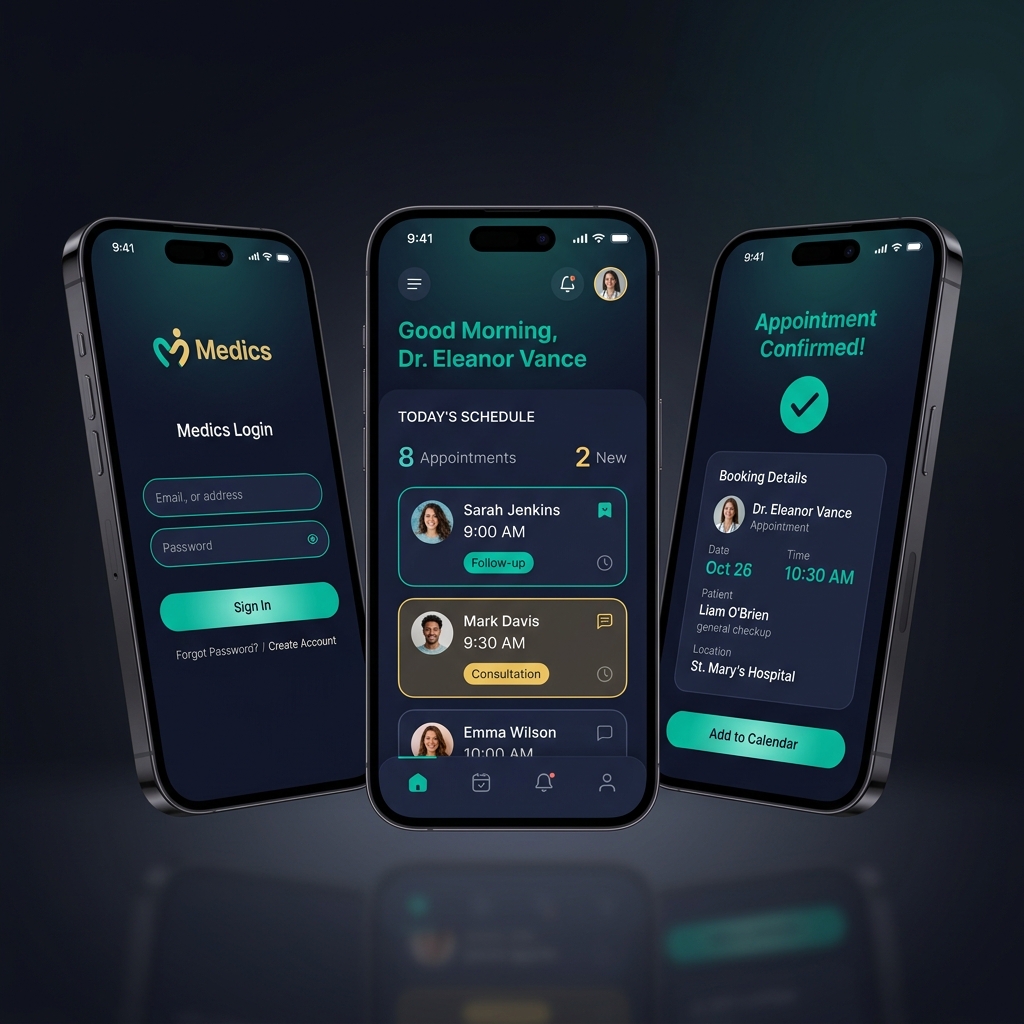
Why I Built This
Healthcare scheduling is still stuck in the past. You call a clinic, get put on hold, hope someone picks up, and then maybe get a slot three weeks from now. If your appointment changes, you call again. Doctors aren’t much better off — most manage their calendar through a mix of spreadsheets and WhatsApp messages.
I wanted to design something that solved it cleanly from both sides at once. Not just a patient app, not just a doctor dashboard, but a system where both experiences are genuinely thought through.
What I Did
I ran the full project from zero: research, user flows, visual design, and prototype testing. The two user groups needed separate research tracks because their frustrations were completely different.
For patients, I interviewed 8 people. The thing that kept coming up was anxiety around confirmation: “I don’t actually know if my booking went through.” That one insight shaped a lot of the design. Every booking action in the final design has three confirmation signals before it’s done.
For doctors, I interviewed 4 GPs and specialists. Their biggest pain was losing small chunks of time to schedule management throughout the day. A patient calls to reschedule, someone has to update the calendar, someone else needs to be notified. It adds up fast. The doctor dashboard is built around giving them full control with minimal clicks.
The Four Flows That Had to Work Perfectly
Before designing anything, I mapped the core flows and kept them visible throughout the whole process:
- Patient searches for a doctor, checks availability, books, and gets confirmation
- Patient views, reschedules, or cancels an upcoming appointment
- Doctor views their daily schedule, blocks time off, manages requests
- Doctor opens an appointment and adds or reads clinical notes
These four had to work without friction. Everything else was secondary.
Designing the Calendar
The booking calendar was the hardest part. I sketched three different approaches on paper and tested each concept with users before committing to anything in Figma. The week-view with hourly time slots won because it matched how people already think about their day.
The calendar has four states: available, booked, blocked, and past. I spent time making those visually unambiguous. Green for available, a deeper charcoal for booked, light gray for blocked and past. Users in testing identified the right state within a few seconds of looking at it for the first time.
The Design System
I kept the visual language deliberately calm. Healthcare products carry a lot of weight emotionally, and the UI should not be adding to anyone’s anxiety. The palette is a soft blue-white, Inter for body text since it reads well at small sizes on mobile, and generous spacing throughout.
One decision I’m glad I made early: the patient and doctor views share the same design tokens (colors, type scale, spacing) but have different layout patterns. They feel like the same product in the same world, but adapted for each context. It kept the codebase simpler and the experience more coherent.
A Few Things That Didn’t Work at First
The original confirmation screen was one page with all the appointment details and a confirm button. In testing, users scrolled past the details and just tapped confirm without reading them. So I split it into two steps: a review screen first (details, no action), then a separate confirm screen. Drop-offs actually went down. People felt like they were making a more deliberate choice.
The clinical notes section on the doctor side originally lived inside a tab inside the appointment view. Doctors kept missing it. I moved it to a persistent side panel that’s always visible when an appointment is open. That fixed it.
How It Turned Out
The usability testing score came out at 4.4 out of 5 across both user groups. First-time users completed the booking flow in around 2 minutes without any instructions. When I asked people how confident they felt that their booking had gone through, every single one said they were confident. That was the outcome I was most focused on from the start.
A local clinic group saw the prototype and asked about piloting it. That was a good sign.